Hot Wallet vs Cold Wallet: Differences and When to Use Each
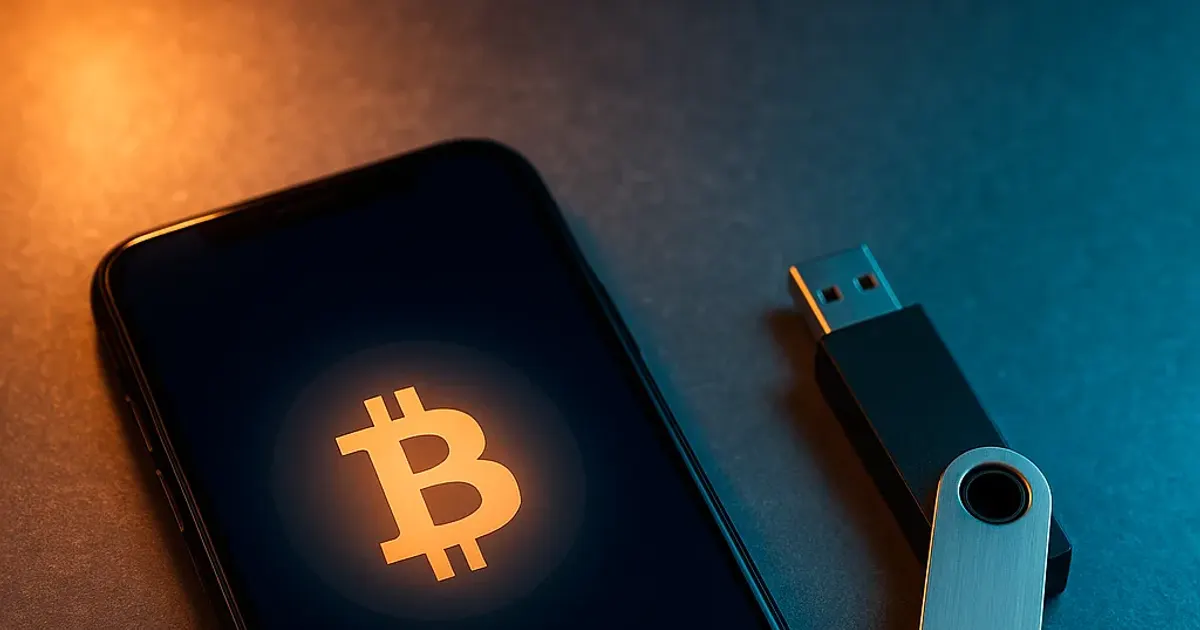
A hot wallet keeps its private keys on a device that connects to the internet. A cold wallet keeps them somewhere the network cannot reach. That one difference decides how fast you can spend, what can go wrong and which amounts belong where. This guide compares the two side by side and shows how to choose. For the basics of the online type on its own, see what a hot wallet is, how it signs and which apps count as one.
What Makes a Wallet Hot or Cold
A wallet does not hold coins. It holds the keys that authorize spending them (see what a crypto wallet actually stores). “Hot” and “cold” describe where those keys live and where transactions are signed:
- Hot: the keys sit on a phone, computer or browser that goes online. The Bitcoin developer guide names this as the main weakness of an all-in-one wallet: its private keys are stored on an internet-connected device.
- Cold: the keys are created and used on a device that never exposes them to the network, such as a hardware wallet or an offline computer. Bitcoin.org’s security guide describes an offline wallet, also called cold storage, as the most secure option for savings.
Hot or cold is a property of the keys, not of the app. If you type a hardware wallet’s recovery phrase into a phone app, those funds now sit in a hot wallet. It is also a separate question from custody: an exchange account is a custodial wallet whose keys the exchange holds, however it stores them.
Hot Wallets
Hot wallets are mobile apps, desktop programs, browser extensions and web wallets. Because the keys are already on a connected device, the wallet can build, sign and broadcast a transaction in seconds.
- Pros: fast, usually free, convenient for payments, transfers and dApps.
- Cons: whatever compromises the device can reach the keys: malware, a fake wallet app, phishing pages that ask for the recovery phrase, or an address swapped on the clipboard.
- Good habits: install wallets only from the developer’s official site or app store listing, lock the app with a strong PIN or password, keep the phone and the app updated, and hold only an amount you could afford to lose.
Two-factor authentication protects accounts held with a provider, such as an exchange login or the email behind it. A self-custody wallet that gives you a recovery phrase has no such account: whoever has the phrase can restore the wallet anywhere, so the phrase itself is what you protect.
Cold Wallets
Cold storage keeps the keys away from online devices and signs transactions where malware cannot reach them:
- Hardware wallets generate the keys inside the device and sign there. The computer or phone gets only public keys and signed transactions, never the private keys, and the device’s own screen shows the address and amount you are approving.
- Air-gapped signers never connect to a computer or the internet. The unsigned transaction travels to them and back by QR code or memory card, usually as a PSBT, the format BIP174 defines so that offline signers can sign without access to the network.
- An offline computer running wallet software can play the same role, as long as it never goes online after the keys are created.
Paper wallets (a single private key and address printed on a sheet) are often listed as cold storage, but the Bitcoin Wiki calls them obsolete and unsafe. Spending means importing or sweeping the key into a software wallet, and a partial spend sends the rest to a change address in that software, not back to the paper. A recovery phrase written on paper is a different thing and remains standard practice.
Cold storage is much harder to attack remotely, but it is not immune. You can still be tricked into typing the recovery phrase into a website or app, or into approving a payment to an address that malware has swapped. The phrase belongs only on the device itself, and the address shown on the device’s screen is the one to trust: malware can change what a computer displays, not what the hardware wallet displays.
- Pros: the keys never touch an online device, which makes cold storage the strongest option for savings.
- Cons: costs money, takes longer to use, and the device can be lost or damaged (the recovery phrase restores it).
- Good habits: buy from the manufacturer or an authorized reseller, set the device up yourself, use its built-in backup check, and verify every address on its screen.
Hot vs Cold Wallet Comparison
| Feature | Hot wallet | Cold wallet |
|---|---|---|
| Where the keys live | An internet-connected phone, computer or browser | A hardware wallet, air-gapped signer or offline computer |
| Where signing happens | On the online device | Inside the offline device; only the signed transaction leaves it |
| Speed | Seconds | Slower: the device must be at hand to confirm each transaction |
| Cost | Usually free | The price of a hardware wallet or a spare offline device |
| Best for | Spending money, frequent transfers, dApps | Savings and long-term holdings |
| Backup | The recovery phrase | The recovery phrase; the device itself is replaceable |
| Main risks | Malware, phishing, fake apps, a stolen unlocked phone | Phishing for the phrase, approving a swapped address, losing the backup |
How to Choose
- Amount: keep in a hot wallet only what you would carry as cash. Bitcoin.org’s guide gives the same advice: small amounts on a computer or phone for everyday use, the rest somewhere safer.
- How often you spend: daily payments call for a hot wallet; money you will not touch for months belongs in cold storage.
- Effort: a hardware wallet adds a device, firmware updates and a slower routine. The extra steps pay off once the amount matters to you.
- Backups: either way, the recovery phrase is the real backup. Write it down offline and keep it away from the device; see how to store a seed phrase.
Before you pick a specific product, make sure it gives you the recovery phrase at all: which wallets let you hold your own seed phrase and keys goes through the wallet categories and what to check.
Using Both
A common setup uses both: a hot wallet for spending and a cold wallet for savings, each with its own recovery phrase, topping up the hot wallet from savings when it runs low. A lost or infected phone then costs only the spending balance. How to store crypto safely turns this split into a step-by-step plan, including backups and moving funds between the two.
Security Checklist for Both
- Never type your recovery phrase into a website, chat or support form. No legitimate wallet maker will ask for it.
- Keep the phrase offline: no photos, screenshots, cloud notes or email.
- Turn on 2FA for exchange accounts and the email behind them.
- Check the backup and send a small test amount before moving in significant funds.