BIP39 Passphrase: How the 25th Word Creates a Hidden Wallet
Читать по-русски: Парольная фраза BIP39: что такое «25-е слово» сид-фразы
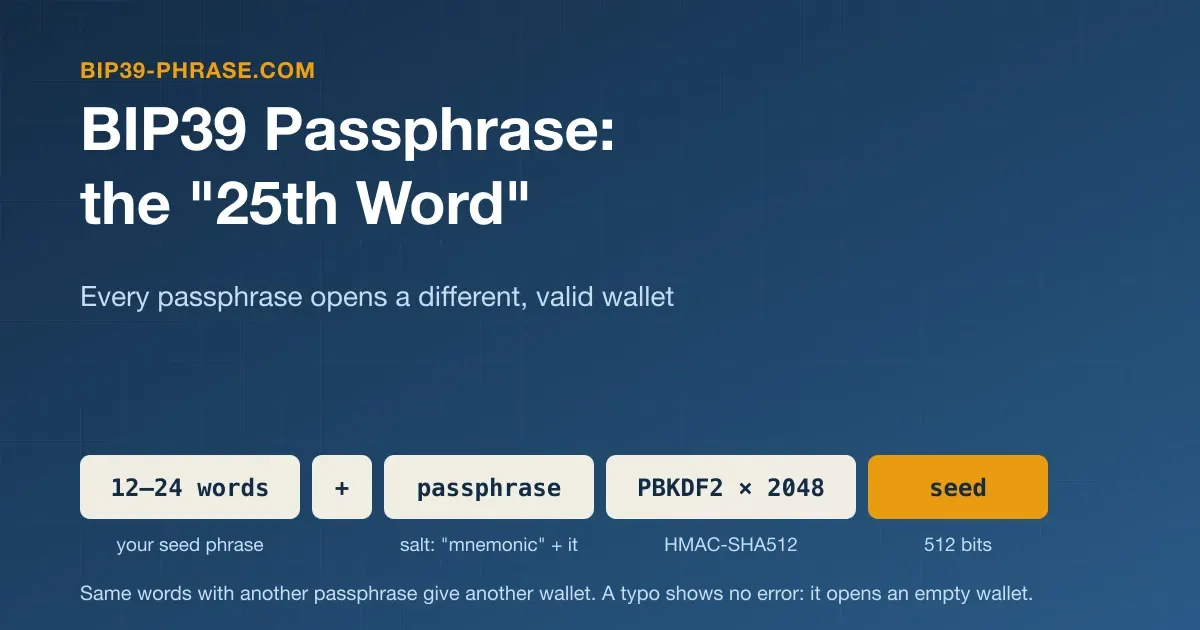
A BIP39 passphrase is an optional secret you add to your seed phrase. It is often called the “25th word”: the longest BIP39 phrases have 24 words, and the passphrase acts as one more that only you chose. Yet it is not a word from the list but any string, from one word to a whole sentence. Trezor and Ledger call it a passphrase, Electrum a seed extension. The same words with another passphrase open a separate wallet, often called a hidden wallet, which is both the feature’s strength and its main risk. New to seed phrases? Start with what a seed phrase is and how it works.
How the Passphrase Changes the Seed
Under the BIP39 specification, the words become a 512-bit seed through PBKDF2, with the passphrase in the salt:
seed = PBKDF2-HMAC-SHA512(
    password   = mnemonic words (UTF-8, NFKD),
    salt       = "mnemonic" + passphrase (UTF-8, NFKD),
    iterations = 2048,
    length     = 64 bytes
)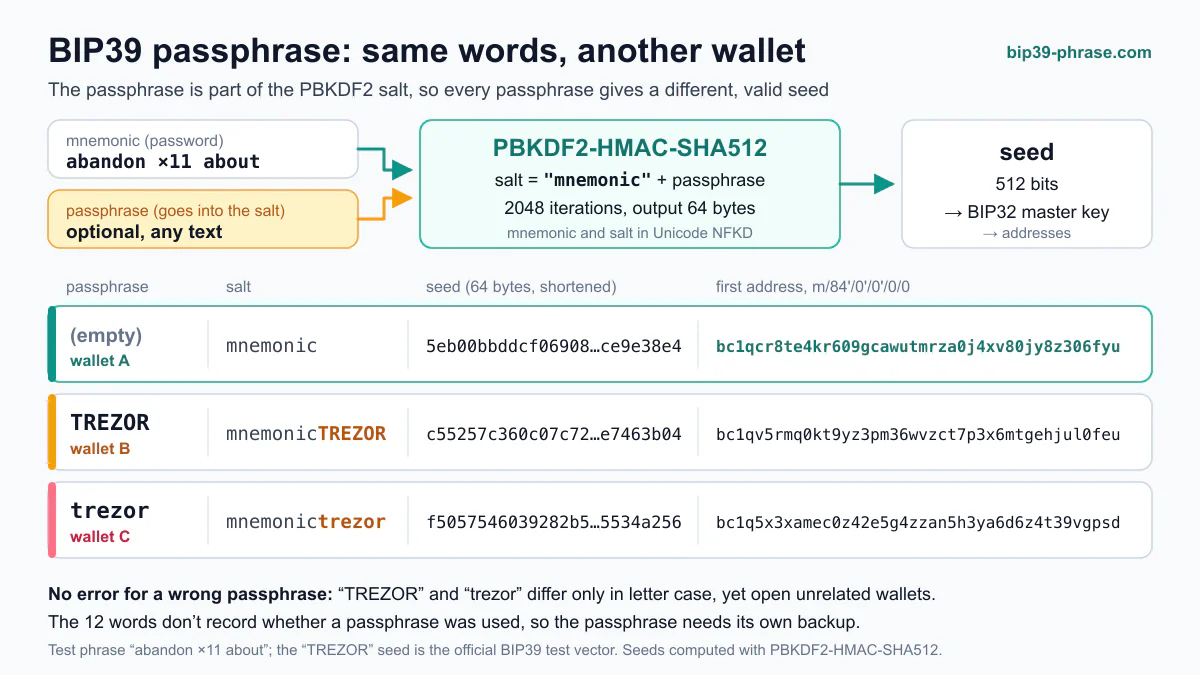
Without a passphrase, the salt is just “mnemonic”. The seed becomes a BIP32 master key, from which every key and address is derived along a derivation path, so a different passphrase changes the whole wallet, not one address. The passphrase is never part of the words: a BIP39 seed phrase generator creates only the words, and you set a passphrase in the wallet.
BIP39’s official test vectors use the passphrase “TREZOR”. The public test phrase abandon abandon … about (eleven times “abandon”, then “about”) produces these seeds:
| Passphrase | Seed starts with |
|---|---|
| No passphrase | 5eb00bbd… |
TREZOR | c55257c3… (the official test vector) |
trezor | f5057546… |
TREZOR plus a trailing space | 9d970e64… |
To reproduce these seeds, paste the test phrase into the seed phrase to private key converter with the passphrase TREZOR, then change one letter: the seed, the root key and every address change.
Every Passphrase Opens a Wallet
The words carry a checksum, so wallets reject most mistyped phrases, and a BIP39 checksum checker shows whether a set of words fits together. The passphrase has none: BIP39 is designed so that every passphrase generates a valid seed, and therefore a working wallet. A typo raises no error; it quietly opens a different wallet, most likely an empty one. Trezor warns that its Suite app cannot tell a wrong passphrase from a right one whose wallet is empty.
Decoy Wallets and Plausible Deniability
The same property provides what BIP39 calls plausible deniability. You keep a small amount in the wallet without a passphrase, or under a second one, and the main funds under the real passphrase. If you are forced to open your wallet, you open the decoy; as the authors of SLIP-39 note, a coercer cannot prove it is not the real one. Don’t overrate the trick: attackers know about passphrases too, and Ledger calls this protection limited.
Case, Spaces and Unicode
Wallets usually convert the words to lowercase, but the passphrase is used character for character (see seed phrase case sensitivity). The only change the standard makes is Unicode normalization (NFKD), which unifies different encodings of the same visible character but keeps the case, the number of spaces and the alphabet as typed:
| Difference when typing | Same seed? |
|---|---|
TREZOR vs trezor | No |
| A space at the start or end | No |
| Two spaces instead of one | No |
café vs cafe | No |
| Cyrillic “Е” in place of Latin “E” | No |
| ”é” typed as one character or as “e” plus an accent mark | Yes |
| A non-breaking space instead of a normal one | Yes |
Trezor reminds you that a space counts as a character, and spacing has caused trouble before: a 2018 bug report showed that Electrum collapsed repeated spaces in BIP39 passphrases and dropped leading and trailing ones, so it derived different addresses from other wallets. Electrum fixed it and now warns about such spaces, because old versions open a different wallet with them.
The safest choice is printable ASCII: Latin letters, digits and common symbols. Trezor Suite supports the standard ASCII set, and SLIP-39 allows only printable ASCII (codes 32 to 126) in passphrases. Other alphabets add look-alikes: Cyrillic “а”, “е” and “о” look like Latin letters but are different characters.
How Trezor, Ledger and Electrum Handle It
Trezor. The feature is off by default. The device does not store the passphrase, so you enter it each time you open that wallet, on the device or in Trezor Suite. The Safe 7, Safe 5, Safe 3 and Model T take up to 128 characters; the Model One takes 50, and only through Suite. Trezor advises typing it on the device whenever you can, since anything typed on a compromised computer or phone can be captured. A passphrase cannot be changed, removed or recovered.
Ledger. A passphrase can have up to 100 characters, is case-sensitive and is set on the device. A temporary passphrase stays active until the device turns off; with one attached to a secondary PIN, unlocking the device with that PIN opens the passphrase accounts. Ledger warns never to enter a passphrase on a computer or smartphone, and it does not store or back up passphrases. Even with a secondary PIN, keep a written copy: three wrong PIN attempts reset the device, and the hidden accounts then come back only with the recovery phrase and the passphrase.
Electrum. The Options button on the seed screen opens a dialog with the “Extend this seed with custom words” checkbox. For a BIP39 phrase, this seed extension is a standard BIP39 passphrase. Electrum’s own seeds, the only kind it creates, use the salt “electrum” instead of “mnemonic” and first lowercase the extension, strip its accents and collapse its spaces. Electrum reminds you to back up the extension along with the seed.
How to Back Up a Passphrase
- Write it down exactly: every capital, space and symbol, in clear block letters.
- Store it apart from the words. No single place should hold both, yet you and your heirs must be able to find each. Lose either and the funds are gone.
- Keep it offline. The rules in how to store a seed phrase apply to it too.
- Test it before funding the wallet. Reopen the wallet from your written copy, not from memory, and confirm you land in the same wallet. Note its first receiving address to recognize it later.
- Check your restore path. Not every wallet app accepts a BIP39 passphrase.
When It Helps and When It Adds Risk
A passphrase helps when:
- someone finds or photographs your written words: without the passphrase, they reach an empty or decoy wallet;
- the words are kept where others could see them, such as a bank deposit box or a relative’s home;
- the seed itself turns out to be weak: for COLDCARD seeds weakened by the firmware bug disclosed in July 2026, Coinkite’s advisory says the reduced entropy alone is not enough to reach a wallet protected by a strong, unique passphrase, but still tells passphrase users to move to a new seed as soon as practical (Coinkite);
- you want a decoy wallet in case you are coerced.
It adds risk when:
- it exists only in your memory: nobody can recover a forgotten passphrase;
- your heirs don’t know about it;
- it is weak: a name or birth date does little against someone who has the words, since each guess costs only 2,048 PBKDF2 iterations (Trezor advises real randomness);
- you type it on an infected computer.
Ledger calls the passphrase an advanced feature, and Trezor ships it switched off. If you can’t keep two secrets safe and explain both to your heirs, a well-stored seed phrase without a passphrase is safer.
Passphrase vs PIN vs App Password
| BIP39 passphrase | Device PIN | Wallet app password | |
|---|---|---|---|
| Used to derive the keys | Yes | No | No |
| Needed to restore on a new device | Yes | No, you set a new one | No, you set a new one |
| What it protects | The wallet itself, even if the words are found | Access to one device | Data in one app on one device |
| If you forget it | The funds behind it are lost | Reset and restore from the words | Reinstall and restore from the words |
A PIN and an app password lock one device; Electrum even warns that the seed extension is not your encryption password. The passphrase is part of the wallet: without it, the words open a different wallet on any device.
Frequently Asked Questions
Why is the passphrase called the 25th word?
The longest BIP39 phrases have 24 words, and the passphrase works like one more that you choose; Ledger notes it is commonly called the 25th word. Unlike the words, it has no checksum, and only the wallet limits its length.
Can a forgotten passphrase be recovered?
No. A passphrase is not stored on a Trezor or in Trezor Suite, and Ledger does not store or back up passphrases, so no support team can look one up. You can only try the variations you remember in your own wallet: capitals, spaces, symbols, typos. Any website or “recovery service” that asks for your words is a way to lose the rest.
Can I add a passphrase to an existing wallet?
Yes, but it does not move your funds: as Ledger points out, it opens a separate set of accounts with new addresses, which start empty. The old wallet stays reachable with the words alone, so move the funds with an ordinary transaction. If your words may have been exposed, move to a new seed phrase instead: the passphrase would be your only protection.
Does a passphrase work with a 12-word seed phrase?
Yes. BIP39 applies the passphrase when it turns any valid phrase, from 12 to 24 words, into a seed, so it works the same way whatever the length.